
Download The Mop – clean computer, delete junk files, free up disk space, optimize pc, remove temporary files, system maintenance tool
Overview
The Mop is a specialized utility designed to streamline system maintenance by identifying and removing unwanted junk files from Windows-based computers. Its primary purpose is to help users reclaim lost disk space and enhance overall system performance through automated cleanup processes. By targeting temporary and obsolete files, The Mop addresses common issues such as slow boot times, reduced responsiveness, and storage congestion. This tool is particularly beneficial for users who lack technical expertise but still want to keep their systems running efficiently.
Target users include everyday computer users, students, remote workers, and anyone managing a personal or small office PC. The application serves as a lightweight solution for routine digital hygiene, reducing the need for complex manual file management. While the developer, Thomas P. Larson, is credited with the creation, no additional background information about the individual or organization is available. The app’s release date of July 21, 2015, indicates it has been in use for over eight years, suggesting a stable and proven functionality in its niche.
Real-world use cases include preparing a computer for new software installation, improving performance before a presentation, or simply maintaining long-term system health. In the broader app ecosystem, The Mop fills a specific gap as a no-frills, dedicated cleanup tool that operates without requiring constant user oversight. Its minimal footprint and free availability make it accessible to a wide audience seeking reliable system optimization.
Key Features & Functionality
- File Type Customization: Users can define specific file extensions to scan and delete, such as TMP, CPY, END, NAV, and NU3. This allows for precise control over what gets removed, minimizing the risk of accidental deletion of essential system files.
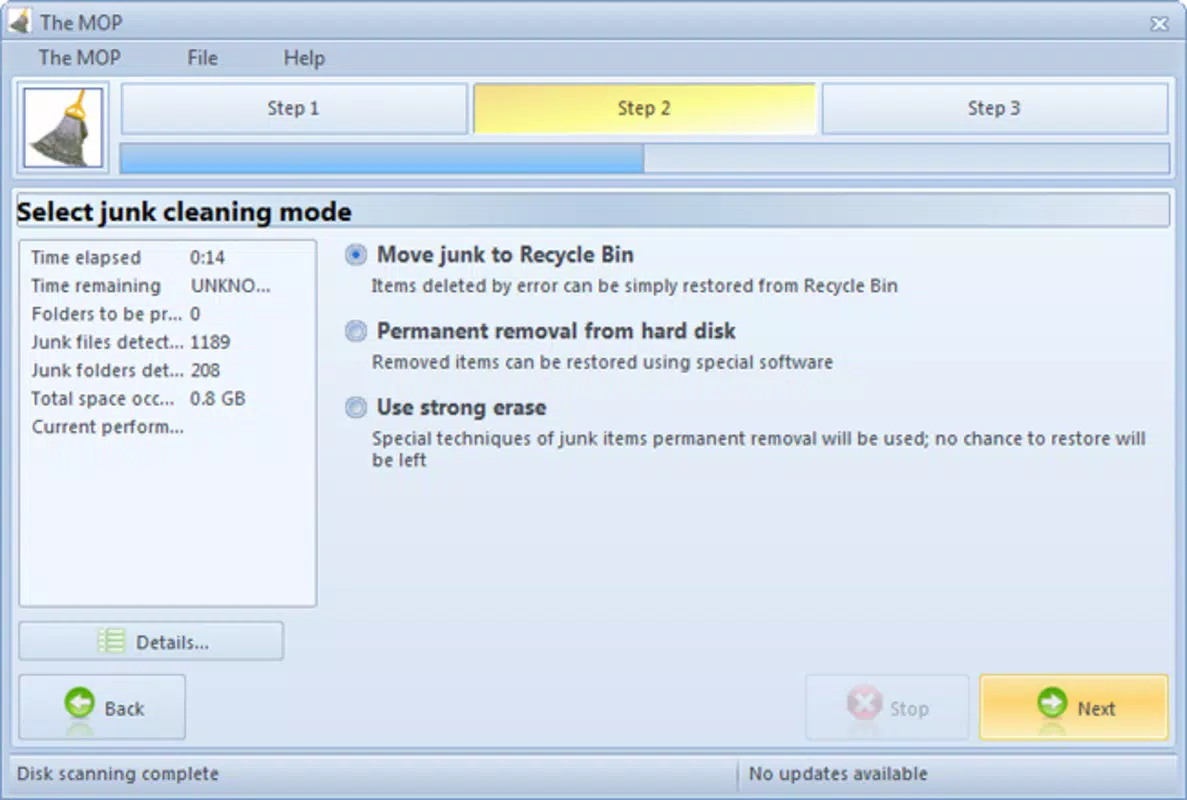
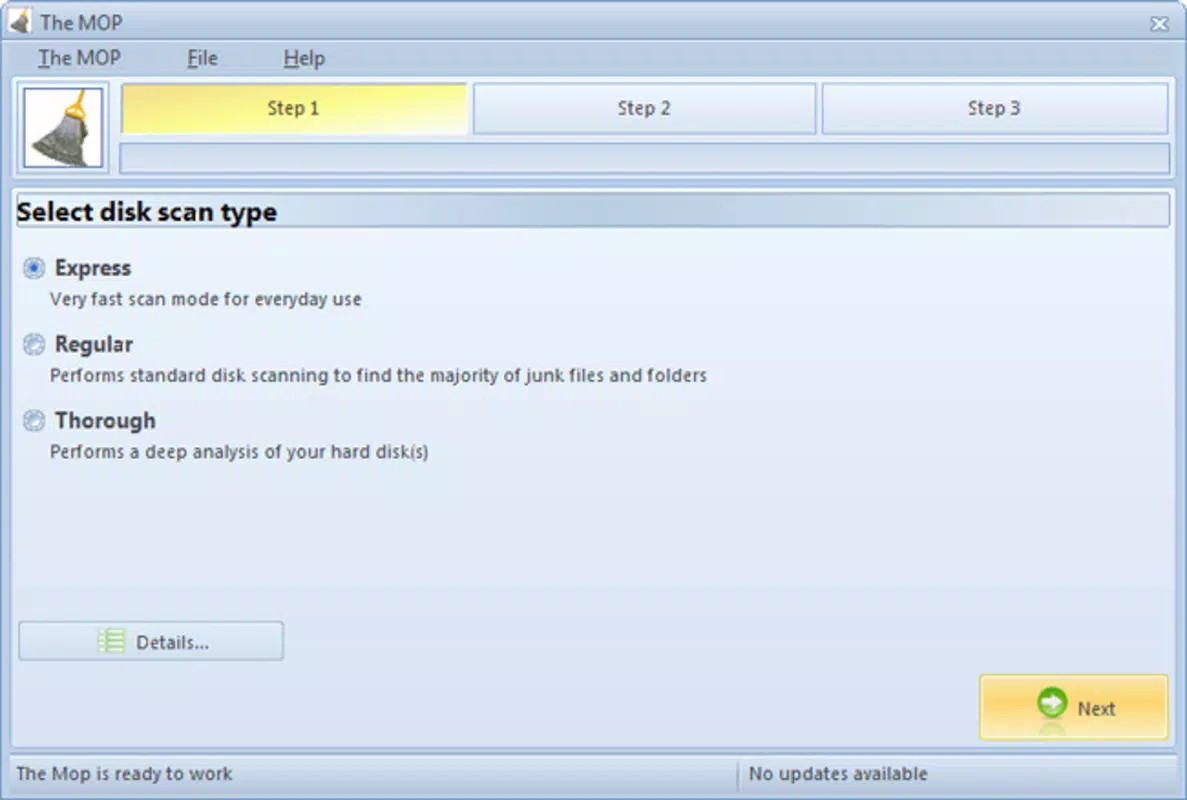
- User-Friendly Interface: The application features a minimalistic design with navigation simplified to just three or four clicks. This ensures that even non-technical users can initiate a full system cleanup without confusion or hesitation.
- Comprehensive Junk Detection: The Mop scans all folders and subfolders across the system, ensuring no hidden junk files are overlooked. This thorough approach helps maximize disk space recovery and supports consistent performance improvements.
- Warning Alerts: Before deleting potentially sensitive files, the tool displays alerts to inform users of possible consequences. This safety mechanism encourages informed decision-making and reduces the likelihood of system instability.
- Performance Optimization: By eliminating redundant files, The Mop contributes to faster load times and improved system responsiveness. Regular use can help maintain a computer’s speed over time, especially on older or low-capacity devices.
For example, a student preparing for final exams might use The Mop to clear temporary files before installing large study software, ensuring optimal performance during critical work sessions. Similarly, a home office user could run the tool monthly to prevent storage bloat and maintain smooth operation.
Interface, UX & Performance
The interface of The Mop is described as simple and intuitive, with a clean layout that prioritizes accessibility. Navigation is streamlined, allowing users to initiate a scan and deletion process with minimal input. The visual design avoids clutter, focusing on core functionality without unnecessary elements. This approach supports a frictionless user experience, particularly for individuals unfamiliar with system-level maintenance.
Although the developer did not list formal performance metrics, the app’s file size of 1.2 MB suggests it is lightweight and optimized for low-resource environments. It is expected to run efficiently on older or budget hardware without consuming significant memory or CPU. Responsiveness appears to be consistent, as the tool operates without reported lag during scans or deletions.
Stability is implied by its long-standing presence since 2015, though no formal updates or bug reports have been documented. Users can expect consistent behavior across multiple sessions, provided the system meets basic OS requirements. The absence of complex features reduces the likelihood of crashes or errors during operation.
Platform Compatibility & Technical Requirements
The Mop is designed exclusively for the Windows platform. It is compatible with Windows operating systems, though specific version requirements were not listed by the developer. The application has a file size of 1.2 MB, making it suitable for systems with limited storage capacity. It is available at no cost, with a free license model that eliminates financial barriers to access.
Although the developer did not specify minimum OS requirements, the app’s lightweight nature suggests compatibility with a broad range of Windows versions, including older releases such as Windows 7 and 8. However, users should verify system compatibility before installation to avoid potential issues. No additional software dependencies or background services are known to be required.
Pros and Cons
Pros
- Free to download and use, eliminating cost barriers.
- Lightweight design with minimal system resource usage.
- Simple interface suitable for users of all technical levels.
- Customizable file type selection for safer, targeted cleanup.
- Provides warning alerts to prevent accidental deletion of critical files.
Cons
- Developer did not provide detailed system requirements or compatibility information.
- No recent updates or version changes since 2015, raising concerns about long-term support.
- Only available for Windows, limiting cross-platform accessibility.
- Specific performance benchmarks or user feedback were not disclosed.
- Does not include advanced features like scheduling or cloud integration.
FAQ
Is The Mop safe to use on my computer?
Yes, The Mop includes warning alerts for potentially dangerous file types, helping users avoid accidental deletion of system-critical files. However, it is recommended to back up important data before running any cleanup tool.
Can I customize which file types are deleted?
Yes, The Mop allows users to specify file extensions such as TMP, CPY, END, NAV, and NU3 for targeted removal, ensuring greater control over the cleaning process.
Is The Mop available for macOS or Linux?
No, The Mop is currently designed only for Windows operating systems. There is no official version available for macOS or Linux.
How often should I run The Mop?
Users may choose to run The Mop periodically—such as monthly or before installing new software—to maintain optimal system performance and free up disk space.
Does The Mop require an internet connection?
No, The Mop operates offline and does not require an internet connection to function. All scanning and deletion processes are performed locally on the device.
Final Thoughts
The Mop remains a reliable, no-cost solution for users seeking to clean their Windows systems and improve performance. Its straightforward interface, customizable file filtering, and safety warnings make it a practical tool for everyday maintenance. While it lacks modern features like automation scheduling or cross-platform support, its simplicity and proven track record offer real value for users who prioritize efficiency and ease of use.
For individuals managing older or low-spec PCs, The Mop provides a lightweight yet effective way to reclaim storage and boost responsiveness. It’s especially useful for those who want a no-nonsense cleanup tool without the complexity of larger utilities.
Download The Mop now


